
How to Protect Your Personal Data Online: Essential Cybersecurity Tips for 2026
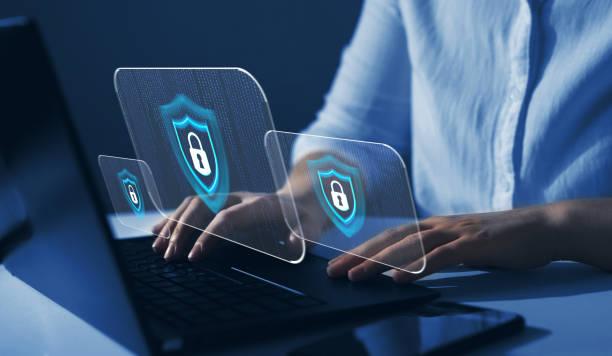
Quick Summary
“Protecting your personal data online in 2026 requires adapting to sophisticated, AI-driven threats by implementing zero-trust security models. By transitioning to passwordless authentication, verifying social engineering attempts, and securing your network devices, you can safeguard your digital identity from advanced cybercriminals.”
The digital world has reached a point where traditional security measures are no longer sufficient to protect personal information. In 2026, cybercriminals utilize highly sophisticated artificial intelligence to automate attacks, bypass standard firewalls, and orchestrate convincing social engineering scams. Protecting your personal data is no longer just about setting strong passwords; it requires a proactive, multi-layered approach to digital hygiene.
As our lives become more integrated with cloud services, smart home devices, and remote work systems, our digital footprint expands significantly. This expanded attack surface provides more opportunities for malicious actors to exploit vulnerabilities and steal sensitive information. Understanding how to manage and secure this footprint is the first step toward achieving peace of mind in the modern digital age.
To keep your personal identity, financial assets, and private communications secure, you must adopt a zero-trust mindset toward your digital interactions. This means verifying every request for information, securing every device on your network, and utilizing advanced authentication methods. This guide outlines the most critical cybersecurity practices you must implement to protect yourself.
The Evolving Cyber Threat Landscape in 2026
The cybersecurity challenges we face today are fundamentally different from those of previous years because of the widespread availability of generative artificial intelligence. Malicious actors now use advanced AI algorithms to scan public records, social media accounts, and past data breaches to build highly customized profiles of their targets. These automated systems can launch thousands of hyper-personalized attacks simultaneously, significantly increasing their success rates.
Furthermore, deepfake technology has progressed to a level where voice and video cloning are easily accessible to low-level cybercriminals. A scammer can clone a family member's or business partner's voice with just a few seconds of raw audio, using it to request urgent financial transfers or sensitive passwords over the phone. This development has turned social engineering into an incredibly dangerous and difficult-to-detect threat vector.
Additionally, modern malware has become highly evasive, often running entirely in a system's memory to avoid detection by traditional antivirus software. These fileless attacks can slip past standard security sweeps, secretly monitoring your keystrokes, stealing browser cookies, and hijacking active sessions. To counter these silent threats, personal security must rely on behavioral detection tools and robust network isolation.
Transitioning from Passwords to Passkeys and Passwordless Authentication
The era of relying on traditional, text-based passwords is officially coming to an end. Even the most complex passwords can be stolen through sophisticated phishing schemes, intercepted via malware, or brute-forced by modern AI-powered cracking systems. In 2026, the industry has shifted heavily toward passkeys, which offer a far more secure and user-friendly alternative.
Passkeys are built on the robust FIDO2 standard, utilizing cryptographic key pairs to authenticate your identity. Your device stores a private key securely in its hardware, while the public key is shared with the service provider. Because the private key never leaves your physical device, it is virtually impossible for hackers to steal your credentials through remote phishing attacks or database breaches.
To implement this advanced security, you should transition your primary online accounts, such as email, banking, and social media, to passkey authentication. Most modern smartphones, laptops, and hardware security keys natively support passkeys through biometrics like fingerprint or facial recognition. This transition not only increases your security exponentially, but also eliminates the daily hassle of remembering complex passwords.
If a service does not yet support passkeys, you must utilize a dedicated, reputable password manager to generate and store unique, high-entropy passwords. Additionally, you must enable hardware-based multi-factor authentication, such as physical security keys, rather than relying on standard SMS text codes. SMS-based verification is highly vulnerable to SIM-swapping attacks, where hackers convince mobile carriers to transfer your phone number to their devices.
Guarding Against Advanced AI Phishing and Social Engineering
Phishing attacks have evolved far beyond poorly written emails with obvious grammatical errors and generic greetings. Today, generative AI allows attackers to write flawless, highly persuasive emails that perfectly mimic the writing style of major banks, utility providers, or government institutions. These emails often contain accurate personal details, making them incredibly difficult to distinguish from legitimate communication.
To protect yourself, you must adopt a strict verification policy for all incoming communications. Never click on links or download attachments directly from unexpected emails, text messages, or direct messages on social media. Instead, open your web browser, navigate directly to the official website of the institution, and log into your account to check for urgent notifications.
Furthermore, you must establish an emergency verification protocol with your family members to combat voice-cloning and deepfake scams. Create a simple, memorable safety word or phrase known only to your inner family circle. If you receive an urgent, emotional phone call from a loved one asking for immediate financial help, ask them for the safety word to instantly verify their identity.
Finally, protect your public digital footprint by auditing the amount of personal information you share on social media platforms. Scammers use details like your travel plans, pet names, family relations, and job history to craft highly convincing social engineering scenarios. Keep your profiles private, reject connection requests from unfamiliar accounts, and remain highly skeptical of unsolicited requests for assistance.
Securing Your Local Network, Devices, and Cloud Environments
Your local home network is the gateway to all your personal devices, including smartphones, laptops, smart home appliances, and security cameras. If your router is poorly secured, hackers can intercept your internet traffic, access local storage drives, and compromise every connected device. Securing your home router is one of the most critical steps in establishing personal digital safety.
Start by disabling old legacy management protocols on your router and enabling modern WPA3 encryption for your Wi-Fi network. You should also set up a separate guest network specifically for your smart home appliances, such as smart TVs, thermostats, and lights. These internet-of-things devices are rarely updated by their manufacturers and are often exploited as weak entry points to compromise your primary devices.
Additionally, you should implement DNS-over-HTTPS or DNS-over-TLS on your devices and router. This technology encrypts your Domain Name System requests, preventing internet service providers and hackers on the same network from tracking the websites you visit. Combined with a reputable, no-logs Virtual Private Network, this practice ensures your web browsing remains private and secure from local interception.
Finally, practice strict device hygiene by enabling automatic software and firmware updates on all your electronics. Software updates frequently contain critical security patches that close newly discovered vulnerabilities before hackers can exploit them. You should also encrypt your local hard drives, backup your files regularly to a secure, encrypted cloud provider, and immediately uninstall applications you no longer use.
Comparative Summary of Essential Cybersecurity Tools
To help you structure your personal defense system, we have compiled a comparison of the most critical security tools you should implement. This matrix highlights the primary purpose and security benefits of each tool category.
| Tool Category | Primary Purpose | Key Security Benefit | Implementation Priority |
|---|---|---|---|
| Passkeys (FIDO2) | Passwordless Authentication | Immunity to phishing & database leaks | High (Critical) |
| Hardware Security Keys | Multi-Factor Authentication | Stops SIM-swapping & remote hacks | High (Critical) |
| Encrypted DNS | Network Privacy | Encrypts web requests & blocks trackers | Medium (Recommended) |
| No-Logs VPN | Data Encryption on Public Networks | Hides IP address & secures public Wi-Fi | Medium (Recommended) |
| Password Manager | Secure Credential Storage | Generates unique, high-entropy passwords | High (If Passkeys are unavailable) |
Practical Actions to Secure Your Digital Footprint Today
Taking immediate, actionable control of your personal cybersecurity is the only way to safeguard your digital life in 2026. Start by conducting a thorough digital footprint audit. Search your name online, identify which public databases or data brokers are displaying your address, phone number, or family details, and submit formal removal requests to delete this information from public view.
Next, set aside one afternoon to secure your primary email account and your personal banking portals. Enable passkey log-in, update your secondary recovery options, and replace SMS-based multi-factor authentication with a hardware key or a dedicated authenticator app. Because your primary email is the master key used to reset passwords for all your other accounts, securing it is your absolute highest priority.
You should also implement a strict boundary system for the devices you use in public spaces. Avoid connecting to public Wi-Fi networks at coffee shops, airports, or hotels without an active, encrypted VPN connection, as hackers can easily host fake networks to harvest your credentials. You should also disable automatic Bluetooth and Wi-Fi connections on your phone, preventing your device from tracking your location or connecting to compromised beacons.
Finally, adopt a continuous learning mindset and remain highly analytical of your digital interactions. Realize that technology changes rapidly, and the tools that protect you today will require updates to defend against the threats of tomorrow. By staying informed, practicing strict digital hygiene, and maintaining a zero-trust mindset, you can successfully navigate the digital age, keep your data private, and secure your digital legacy.
Frequently Asked Questions
Are passkeys really safer than complex passwords?
Yes, passkeys are significantly safer than traditional passwords because they are completely immune to phishing attacks and database breaches. They use asymmetric cryptography where the private key is stored securely in your physical device’s hardware and never shared with the website, ensuring that hackers cannot steal your credentials remotely.
Is using a public Wi-Fi network safe if I am only browsing news sites?
No, using any public Wi-Fi network without a Virtual Private Network is highly risky. Hackers on the same network can use simple packet-sniffing tools to intercept your unencrypted web traffic, hijack active browser sessions, redirect you to fake malicious websites, or inject malware into your device.
How can I verify if an urgent call from a family member is a voice-clone scam?
The most effective way to verify an urgent call is to establish a unique, memorable family safety word or phrase beforehand. If a caller claiming to be a loved one requests immediate financial help or sensitive information, ask them for the safety word. If they cannot provide it, hang up and call your relative back on their verified number.
What should I do if my personal data is leaked in a major corporate breach?
If your data is leaked, you must immediately change the password of the compromised account and any other accounts that shared the same password. You should also enable passkey authentication or app-based multi-factor verification, monitor your bank statements for unauthorized transactions, and place a credit freeze on your credit files to prevent identity theft.